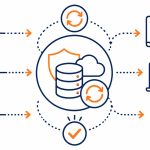
| IT for construction is the set of systems, devices, and connectivity that link a building company’s site crews with its office staff, so plans, photos, timesheets, and project data move between the two without delay or loss. |
Your site supervisor is standing in a half-built warehouse trying to open the latest set of plans on a phone with one bar of signal. The office has already sent the revision twice. Nobody is sure which version the crew is actually building from.
That gap between the site and the office is where construction firms lose hours, money, and the occasional rework bill that should never have happened. Good IT for construction closes it.
This guide explains what good IT for construction looks like for a New Zealand building company, from site connectivity to project software to the rugged devices your crews actually need. It is written for owners and managers, not IT specialists.
Why Is IT for Construction Different From Office IT?
IT for construction is different because the work happens in two places at once. Half your team is in a fixed office with reliable power and internet. The other half is on a site that changes every few months and often starts with no connectivity at all.
A standard office IT setup assumes everyone sits at a desk on the same network. A construction firm cannot make that assumption. Plans, variations, and progress updates have to reach a crew that is mobile, weather-exposed, and frequently out of mobile coverage.
Get the link between site and office right and a project runs on one version of the truth. Get it wrong and you pay for it in rework, disputes, and slow invoicing.
What problems show up when the IT is wrong?
The usual symptoms are familiar to anyone who has run a build. Crews work from outdated drawings. Photos and dockets sit on personal phones and never reach the office. Timesheets arrive late and incomplete. Quotes and variations get lost between email threads. Site records captured on a digital form rather than a paper docket reach the office the moment they are signed, which closes most of that gap on its own.
Each of these looks small on its own. Across a year of projects they add up to real margin loss and paperwork gaps that make a dispute hard to defend.
What Technology Does a Construction Business Actually Need?
A construction business needs five things working together: reliable internet on the site, mobile devices tough enough for the job, software that holds the plans and project data, secure cloud access so both ends see the same files, and dependable backup. Get those five right and site and office work from the same information.
You do not need every tool a salesperson will pitch you. Good IT for construction is the handful of systems that close the gap between the two halves of your business and take away the daily friction your crews keep complaining about.

Site connectivity
Connectivity is the foundation. Without it, every other system on this list fails on the one place it matters most. A new site rarely has a fixed line ready on day one, so most firms rely on mobile broadband, a 4G or 5G router, or Starlink for remote rural sites.
The practical answer is to treat construction site connectivity as part of mobilising the site, not as an afterthought once the crew has already turned up and found no signal.
Mobile devices and rugged hardware
Site staff need devices that can take dust, drops, and rain. A consumer phone that is fine in an office cracks the first week it lives in a tool belt or on a dashboard in the sun. The right mobile devices for construction are rugged or ruggedised tablets in protective cases, paired with a sensible replacement plan that keeps crews working instead of waiting on a smashed screen.
These devices carry company data and project files, so they need to be managed and secured, not left as personal kit. A managed device can be set up the same way every time, locked down to what the role needs, and wiped if it goes missing, which keeps a lost phone from becoming a data breach.
Project and document software
Construction project software keeps plans, variations, RFIs, and progress notes in one place that both site and office can see. Document control matters most here. One current set of drawings, visible to everyone, prevents the most expensive mistake in construction IT, which is building to the wrong revision.
How Do You Connect the Site to the Office?
You connect site to office by putting your files and project data in the cloud, then giving site crews a secure, managed way to reach them from any location. The data lives in one place, and both ends work from the same copy.
This is where a planned approach pays off. A firm that has run a structured cloud migration already has its files reachable from anywhere, which is exactly what a mobile workforce needs. The same move also makes backup and access control far easier to manage across a fleet of site devices.
What does the data flow look like in practice?
On a working site the flow is simple once it is set up. A worker captures a photo or fills in a form on a tablet. That record syncs to the cloud as soon as the device has signal. Office staff open it minutes later, attach it to the project file, and act on it.
No emailing photos to yourself. No transcribing dockets at the end of the week. The site captures, the cloud carries, and the office uses, all from one record.
Good project software also handles patchy coverage. The better apps let a crew keep working offline, then sync everything the moment the device finds signal again. That matters on a New Zealand building site where a basement, a steel frame, or a rural location can knock out a connection for hours at a time.

Keeping it secure on the move
A mobile workforce widens the number of devices holding company data, so security has to travel with them. Devices should be enrolled in central mobile device management, protected by access controls, and capable of being locked or wiped if a phone or tablet goes missing from a site.
Construction firms are not exempt from cyber risk. Subcontractor payment fraud and invoice scams target the industry directly, which makes secure email and verified payment processes part of the same picture as site connectivity.
What Happens When the Technology Fails on a Build?
When construction IT fails, work stops in ways that cost more than the technology ever would. A lost connection halts approvals. A failed device strands a crew. Lost data can mean rebuilding a week of records or, worse, losing the evidence that protects you in a dispute.
This is why backup and continuity belong in any serious conversation about IT for construction. On a build, a lost record is rarely just an inconvenience. The progress photos and signed approvals you cannot produce are often the ones that decide a payment claim. A site office can flood, a laptop can be stolen from a ute, and a ransomware attack can lock every file on a Friday afternoon, so the records have to live somewhere safe and recoverable.
Why does backup matter so much in construction?
Construction records carry legal and financial weight. Progress photos, signed variations, and site diaries can decide a payment claim or a defects dispute. A tested business continuity plan makes sure that data survives a lost device, a ransomware attack, or a flooded site office, and that the business can keep operating while it recovers.
Planning the underlying infrastructure
The office side still needs solid foundations. Servers, networking, and the systems that run estimating and accounting all sit behind the cloud tools your crews see. Reviewing your IT infrastructure makes sure the office end can support a growing, increasingly mobile business and does not become the bottleneck.
How Do You Roll This Out Without Disrupting Live Projects?
You roll it out in stages, starting with the capability that hurts most today and adding the rest project by project. Trying to change everything across every active site at once is how you create the disruption you were trying to avoid.
A sensible order for most firms looks like this:
- Fix site connectivity first, because nothing else works without it.
- Standardise and secure mobile devices so crews carry reliable, managed kit.
- Move files and project data to the cloud for one shared source of truth.
- Add document control and project software once the data is centralised.
- Confirm backup and continuity cover every site and the office.
Each step delivers value on its own, so the business sees a return before the next stage begins.
Who should manage construction IT?
Most construction firms do not have the time or the in-house skills to run this themselves. A local managed IT provider that understands a mobile workforce can set up connectivity, secure the devices, and keep everything running, so the directors can focus on winning and delivering work. Exodesk delivers this kind of IT services support for South Island businesses, including construction firms running crews across multiple sites.
What Should You Look For in an IT for Construction Provider?
Look for a provider that understands a mobile workforce, not just office desks. The right partner for IT for construction can stand up connectivity on a fresh site, manage a fleet of rugged devices, and keep project data secure across locations, all under one predictable monthly cost.
A few questions sort the specialists from the generalists. Ask how they get a brand-new site online before the fixed line arrives. Ask how they secure a tablet that lives in a ute. Ask what happens to your project records if a device is lost or a site office floods.
A provider who answers those plainly, with construction examples rather than generic IT talk, is one who has done this before.
Local matters for site work
Remote support handles most issues, but construction has a physical side that office-only businesses do not. Cabling a new site, installing access points, or setting up a server room still needs someone who can turn up. A local team that can reach your Christchurch or Dunedin sites fixes the on-site problems a remote-only provider cannot touch.
One partner, not five
Construction firms often end up with a phone company, an internet provider, a software vendor, and a separate IT contractor who all point at each other when something breaks. Consolidating IT for construction under one provider removes the finger-pointing and gives you a single number to call when a site goes dark.
How Does Good IT for Construction Pay for Itself?
Good IT for construction pays for itself by removing rework, speeding up invoicing, and protecting the records that decide disputes. The monthly cost is small against a single rework bill caused by a crew building to the wrong drawing.
The savings show up in a few predictable places. Crews stop waiting on information, so labour hours go further. Variations and dockets reach the office the same day, so invoices go out faster and cash flow improves. Progress photos and signed approvals are captured and kept, so a payment claim or defects argument is backed by evidence rather than memory.
On any single day none of this feels like much. Over a year of projects, the firm that runs on connected, well-managed technology is the one that holds onto the margin it has already earned, while its competitors hand theirs back in rework and lost hours.
Get Your Sites and Office Working as One
Exodesk has supported Christchurch, Dunedin, and wider South Island businesses since 1989, and works with construction firms that need site and office to stay connected. We set up site connectivity, secure your devices, and protect your project data with cyber security built in.
Contact us today to discuss how we can help your business or connect with us on LinkedIn to stay updated with more insights.
Frequently Asked Questions
What is IT for construction?
It is the combination of connectivity, devices, software, and data systems a building company relies on to keep its on-site crews and office team working together. The scope covers internet access on site, mobile and rugged hardware, project and document software, secure cloud file sharing, and backup. The goal is to keep both ends of the business working from the same accurate information.
How do construction sites get internet access?
Most construction sites get internet through mobile broadband using a 4G or 5G router, since a fixed line is rarely available when a site first opens. For remote or rural projects, satellite services such as Starlink provide coverage where mobile signal is weak. Connectivity should be arranged as part of mobilising the site rather than left until crews arrive and find no signal.
What devices do construction workers need on site?
Site workers need devices that survive dust, drops, and weather, which usually means rugged or ruggedised tablets and phones in protective cases. These devices should be centrally managed and secured because they hold company plans and project data. A clear replacement plan keeps crews productive when a device is damaged on the job.
Why is document control so important in construction?
Document control matters because building to an outdated set of plans is one of the most expensive mistakes in construction. When everyone works from one current revision held in shared project software, the risk of costly rework drops sharply. Good document control also creates a clear record of variations and approvals, which protects the business if a dispute arises.
How does cloud software help a construction business?
Cloud software stores plans, photos, forms, and project data in one place that both site and office can reach from any location. Site crews capture information on a tablet, it syncs to the cloud, and office staff use it within minutes. This removes the delays and lost paperwork that come from emailing files between people.
Is construction IT a target for cyber attacks?
Yes. Construction firms are frequently targeted by invoice fraud and subcontractor payment scams, where attackers impersonate suppliers to redirect payments. A mobile workforce with many devices also widens the area that needs protecting. Secure email, verified payment processes, and managed devices reduce this risk significantly.
What happens to my data if a site tablet is lost or stolen?
With proper mobile device management in place, a lost or stolen device can be located, locked, and remotely wiped so company data does not fall into the wrong hands. Because the data lives in the cloud rather than only on the device, nothing is lost when the hardware goes missing. The replacement device simply reconnects to the same project files.
How much does IT for a construction firm cost?
Cost depends on the number of staff, sites, and devices, and on which software your projects require. Most firms move to a predictable monthly model that covers connectivity, device management, support, and backup, so spend is steady and not tied to each problem as it happens. A local provider can scope your needs and give a fixed monthly figure after reviewing how your business operates.
Can I roll out new IT without disrupting current projects?
Yes, by staging the rollout instead of changing everything at once. Most firms fix site connectivity first, then standardise devices, then move data to the cloud, adding project software and backup after that. Each stage delivers value on its own, so live projects keep running while the improvements land step by step.
Should construction firms manage IT in-house or outsource it?
Most small and medium construction firms are better served by outsourcing to a managed IT provider, because they rarely have in-house staff with the time or skills to run site connectivity, device security, and backup. A local provider that understands a mobile workforce keeps everything running and frees directors to focus on winning and delivering work. Larger firms may keep some functions in-house and use a provider for specialist areas.